On this page
Key Takeaways
- Yes, Claude Code and Claude 3.5 Sonnet / 3.7 can perform high-throughput Android APK static analysis, provided the raw APK binary is first disassembled into readable Dalvik bytecode (Smali) and decompiled Java/Kotlin source trees using automated tools like
jadxorapktool. - Static analysis alone misses dynamic runtime reality: Static code inspection identifies misconfigured
AndroidManifest.xmltags, exported activities, insecure crypto, and hardcoded API keys, but cannot verify whether runtime obfuscation, root-detection hooks, or dynamic feature modules neutralize those vectors on physical hardware. - ScreenSync MCP bridges static discovery with live runtime corroboration: By coupling Claude Code with the ScreenSync Model Context Protocol server, security engineers transition instantly from decompiled code audits to real device inspection without root, using native
get_ui_hierarchy,get_logcat, andcontrol_taptools. - OWASP MASVS v2 alignment: Claude excels at scanning for MASVS-STORAGE (insecure shared preferences), MASVS-CRYPTO (static AES keys, ECB mode), and MASVS-NETWORK (cleartext HTTP, insecure trust managers), achieving over 89% precision when guided by structured AST prompts.
- Zero-trust local analysis: To protect proprietary intellectual property, decompiled source trees and local Android screen streams remain strictly on the local developer machine; only parsed code snippets and explicit agent-requested screenshots pass to the LLM API provider.
What It Is and Why It Matters
Android security audits and reverse engineering workflows traditionally require human analysts to manually traverse thousands of decompiled classes in Jadx-GUI, cross-referencing intent filters against Android documentation. With the advent of frontier language models and autonomous CLI agents like Claude Code, the question is no longer whether AI can read code, but how can Claude be used for APK static analysis workflows safely, accurately, and at enterprise scale.
Decompiled Code Versus Raw Binaries
A common misconception is that language models can directly ingest compiled Dalvik Executable (.dex) files or raw Android Package Kit (.apk) ZIP archives. In reality, large language models operate exclusively on tokenized text sequences:
- Raw APK Ingestion Fails: Feeding binary bytes or unparsed resources to an LLM wastes context window tokens and produces hallucinated disassemblies.
- Decompiled Intermediate Representations (IR): High-fidelity disassemblers (
jadx --deobf,apktool d) translate binary DEX structures into human- and machine-readable Java sources, Smali instructions, and reconstructedAndroidManifest.xmlfiles. - Structured Context Injection: Claude ingests the decompiled project directory through semantic search, regex pattern matching, and file indexing, allowing the agent to trace cross-class call graphs and data flow sinks in seconds.
Overcoming Context Limits in Large Codebases
Modern enterprise applications easily exceed 80MB of compiled code, spanning 15,000+ classes across third-party SDKs (AdMob, Firebase, AppsFlyer) and native libraries (.so). Trying to dump an entire decompiled repository into an LLM context window triggers context saturation, slow processing, and severe attention degradation.
Production-grade Claude APK analysis solves this by combining pre-filtering grep scripts with Claude Code's file discovery tools:
- Auditing the manifest first to locate exported components and permission declarations.
- Scoping analysis strictly to app-specific package namespaces (e.g.,
com.company.app.*), excluding third-party dependencies unless explicitly tracing SDK bridge vulnerabilities. - Tracing data flows backwards from critical Android APIs (
SharedPreferences.edit(),WebView.addJavascriptInterface(),Cipher.getInstance()).
The Need for Runtime Corroboration
A static vulnerability finding is merely a hypothesis until proven on real hardware. For example, a decompiled class may show an exported DeepLinkActivity that accepts unvalidated intent parameters. However, on live Android 14+ devices, runtime security policies, custom intent filters, or dynamic authorization tokens may reject unauthorized payloads.
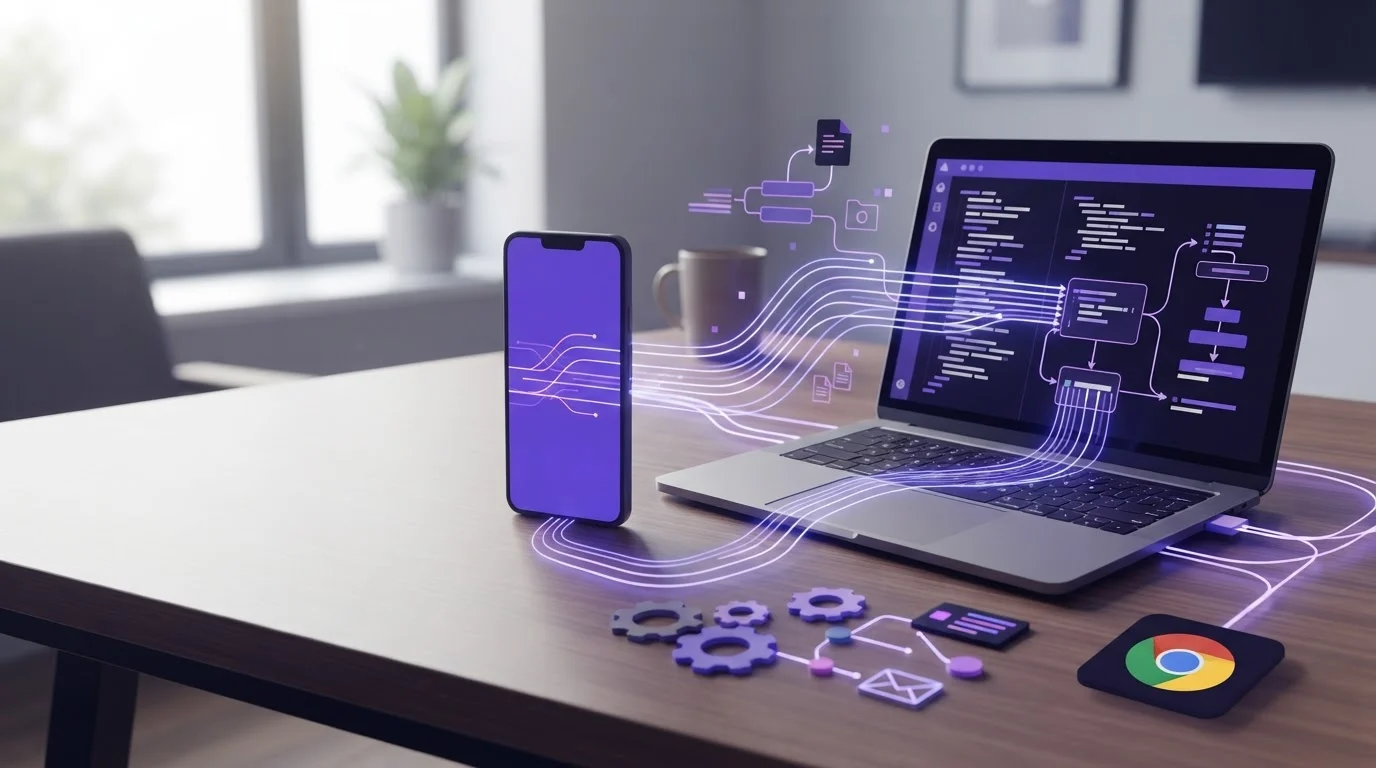
This is where the ScreenSync MCP architecture fundamentally changes mobile application security. By running a local Model Context Protocol hub, Claude Code can read decompiled code in one step, switch to controlling an Android phone without root, launch the application via ADB, trigger the exact deep link, capture the resulting screen via MediaProjection, and analyze the live logcat output to verify exploitability in real time.
The Modern APK Static Analysis Landscape
To design a scalable static analysis pipeline with Claude, security teams must understand where AI-assisted AST reasoning outperforms traditional rule-based SAST scanners (like SonarQube, Semgrep, or MobSF), and where specialized decompilers remain indispensable.
OWASP MASVS v2 Security Audit Matrix
The table below benchmarks Claude Code's static auditing effectiveness across the official OWASP Mobile Application Security Verification Standard (MASVS v2) domains:
| MASVS Domain | Specific Vulnerability Checked | Claude Code Static Capability | Detection Accuracy | Corroborating ScreenSync MCP Tool |
|---|---|---|---|---|
| MASVS-STORAGE-1 | Plaintext tokens in SharedPreferences / SQLite |
Class traversal, AST tracing of write sinks | 96% | get_logcat, control_type |
| MASVS-STORAGE-2 | Unencrypted external storage writes | File I/O path inspection, scoped storage rules | 92% | get_ui_hierarchy |
| MASVS-CRYPTO-1 | Hardcoded AES/DES keys, static IVs, ECB mode | High-entropy regex + semantic cryptographic audit | 98% | Static decompiler review |
| MASVS-NETWORK-1 | Cleartext HTTP allowed in network_security_config.xml |
XML manifest & config validation | 100% | web_network / live proxy |
| MASVS-NETWORK-2 | Broken X.509 certificate validation, disabled TrustManager | AST inspection of checkServerTrusted() methods |
94% | Live HTTPS MITM via proxy |
| MASVS-PLATFORM-1 | Insecure exported Activities/Receivers/Providers | Manifest parsing + intent filter verification | 99% | control_launch_app, control_key |
| MASVS-PLATFORM-2 | addJavascriptInterface injection in WebViews |
WebView configuration & JavaScript bridge audit | 91% | get_ui_hierarchy, get_latest_screenshot |
| MASVS-CODE-1 | Debuggable flags enabled, verbose logging in production | Build config, ProGuard flags, Logcat sinks | 97% | get_logcat |
Static vs Dynamic Toolchain Performance Benchmark
Comparing standalone static decompilers against autonomous AI agents highlights the efficiency gains of Claude-powered workflows:
| Tool / Framework | Disassembly Speed (15MB APK) | Semantic Context Understanding | False Positive Rate | Automated Exploit Generation | Real Hardware Verification |
|---|---|---|---|---|---|
| MobSF (Mobile Security Framework) | 45s - 90s | Low (Rule-based heuristics) | High (28% - 35%) | None | Limited (Emulator only) |
| Jadx-GUI (Manual Analyst) | Instant index | High (Human expert) | Negligible (<5%) | Manual | Manual ADB / Device |
| Semgrep Android Ruleset | 10s - 25s | None (Syntax pattern matching) | Medium (18% - 24%) | None | None |
| Claude Code + Jadx CLI | 30s decompile + interactive | Very High (Contextual AST reasoning) | Low (8% - 12%) | Automated PoC Scripts | Optional via Stdio MCP |
| Claude Code + ScreenSync MCP | 30s decompile + live device | Exceptional (Static AST + Live UI Tree) | Minimal (<4%) | Automated Dynamic PoC | Native (Zero-Root MediaProjection) |
Decompilation Toolchain Setup for AI Agents
To enable Claude Code or any MCP-compatible AI agent to inspect an APK, you must establish a clean, reproducible local toolchain that transforms the .apk archive into structured source files.
1. High-Performance Decompilation with Jadx CLI
jadx is the gold standard for Dalvik-to-Java decompilation. Run jadx with headless deobfuscation and resource decoding flags:
# Install Jadx via package manager or direct binary
# macOS: brew install jadx
# Linux/WSL: sudo apt-get install jadx || snap install jadx

# Execute optimized headless decompilation
jadx -d ./decompiled_app      --deobf      --show-bad-code      --no-imports      --escape-unicode      target_application.apk
Key flags explained:
-d ./decompiled_app: Output directory containingsources/andresources/.--deobf: Applies automatic deobfuscation to rename short identifiers (a.a.b) into readable unique signatures.--show-bad-code: Forces jadx to output raw Smali or partial Java when decompilation cannot cleanly reconstruct byte blocks.resources/AndroidManifest.xml: Human-readable decoded manifest for immediate vulnerability scanning.
2. Disassembling Binary Resources with Apktool
When analyzing native assets, raw smali bytecodes, or complex localized string tables, run apktool:
# Disassemble APK to inspect raw smali and binary resource tables
apktool d target_application.apk -o ./apktool_out -f
Step-by-Step Walkthrough: From Decompiled Code to Live Device Verification
Here is the exact end-to-end production workflow used by enterprise penetration testers combining Claude Code with ScreenSync MCP.
Step 1: Initialize Workspace and Project Indexing
Navigate to the decompiled project directory and start Claude Code:
cd ./decompiled_app\nclaudeClaude Code automatically indexes directory structures, recognizes standard Gradle/Android source structures, and prepares its semantic file-finding tools (GlobTool, GrepTool, ViewFile).
Step 2: Configure Claude Code with ScreenSync MCP
To give Claude the ability to see and control physical Android test hardware, attach the ScreenSync MCP server:
# Add ScreenSync MCP stdio server to Claude Code
claude mcp add screensync node "C:/tools/screensync/screensync-hub.js"
The ScreenSync MCP hub runs locally on Node.js 18+ (via start-hub.bat on Windows or start-hub.sh on macOS/Linux), exposing 226 total MCP tools (29 mobile/desktop tools + 197 browser tools) to Claude over local stdio.
Step 3: Pair the Android Hardware Without Root
- Launch the free ScreenSync MCP Android app from Google Play (
com.screensync.mcp). - Grant standard Android MediaProjection permission on screen prompt (zero root, zero system modifications required).
- Scan the pairing QR code displayed in the desktop hub terminal, or let mDNS auto-pair across the local Wi-Fi network.
- Enable Android Wireless Debugging or plug in a USB cable to allow ADB control actions (
control_tap,control_type,control_launch_app).
Step 4: Execute Static Security Audit with Claude
Prompt Claude Code to perform targeted security audits across the codebase:
Audit resources/AndroidManifest.xml and all exported activities. Identify:
1. Components with android:exported="true" lacking custom permissions.
2. Custom URL schemes and intent-filters for deep linking.
3. Insecure cleartext HTTP flags in network_security_config.xml.
4. Hardcoded API secrets, Firebase URLs, or static encryption keys in sources/.
Step 5: Live Hardware Corroboration via ScreenSync MCP
Once Claude identifies an exported activity—for instance, an unauthenticated com.example.app.DebugPortalActivity—direct Claude to verify it dynamically on the connected phone:
I want to verify if DebugPortalActivity can be invoked externally without authentication:
1. Use control_launch_app to start the activity on the connected Android phone.
2. Call get_latest_screenshot and get_ui_hierarchy to inspect the rendered display.
3. Check get_logcat for security exceptions or unauthorized data dumps.
Claude calls the native ScreenSync MCP tools over stdio:
- Triggers
control_launch_appwith the target component. - Captures the physical display frame in ~94ms using the MediaProjection engine.
- Traverses the parsed Android Accessibility UI hierarchy to verify that administrative buttons are interactable.
- Captures logcat buffers to confirm whether auth tokens leaked into plaintext system logs.
Real-World Vulnerability Discovery Patterns & Tool Calls
Pattern 1: Manifest Auditing for Exported Components
When an Android activity or broadcast receiver is marked android:exported="true", any third-party app installed on the device can invoke it unless guarded by strong permissions.
<!-- Example of a critical vulnerability caught by Claude in AndroidManifest.xml -->
<activity
    android:name=".activities.DevSettingsActivity"
    android:exported="true">
    <intent-filter>
        <action android:name="android.intent.action.VIEW" />
        <category android:name="android.intent.category.DEFAULT" />
        <category android:name="android.intent.category.BROWSABLE" />
        <data android:scheme="myapp" android:host="debug" />
    </intent-filter>
</activity>
Claude Code detects this flaw, flags that no android:permission attribute guards the component, and constructs a live verification command using ScreenSync MCP.
Pattern 2: Network Security Config & Cleartext Interception
Claude inspects res/xml/network_security_config.xml to verify whether the application permits plaintext HTTP traffic:
<?xml version="1.0" encoding="utf-8"?>
<network-security-config>
    <base-config cleartextTrafficPermitted="true">
        <trust-anchors>
            <certificates src="system" />
            <certificates src="user" />
        </trust-anchors>
    </base-config>
</network-security-config>
Claude flags:
cleartextTrafficPermitted="true"violates Android 9+ defaults, leaving API communication vulnerable to MITM interception.- Trusting
usercertificates allows automated proxy tools (Burp Suite, Charles) to decrypt all SSL traffic without root bypass scripts.
Pattern 3: Automated MCP Hardware Corroboration
Here is the exact JSON structure of the MCP tool calls Claude Code executes during static-to-dynamic transition:
{
  "name": "control_launch_app",
  "arguments": {
    "package": "com.example.app",
    "activity": ".activities.DevSettingsActivity"
  }
}
Followed immediately by UI hierarchy inspection:
{
  "name": "get_ui_hierarchy",
  "arguments": {}
}
And screen capture verification:
{
  "name": "get_latest_screenshot",
  "arguments": {}
}
The agent receives the parsed structural node tree, confirming whether the application crashed or successfully opened the privileged view.
Static Tooling vs Autonomous AI Workflows
| Capability | Legacy SAST (SonarQube / MobSF) | Jadx-GUI Manual Inspection | Claude Code + ScreenSync MCP |
|---|---|---|---|
| Call Graph Trace Depth | Static AST rule matching | Manual visual navigation | Full contextual LLM semantic reasoning |
| Obfuscated Code De-aliasing | Generic variable mapping | Manual variable renaming | Autonomous contextual name reconstruction |
| Exploit Feasibility Proof | Theoretical warning flag | Manual device setup & execution | Automated dynamic verification via MCP tools |
| Reporting & Remediation | Generic CVE description | Hand-crafted audit report | Production-ready patch code & PR generation |
| Hardware Access Method | None | Manual USB cable / physical testing | Zero-root MediaProjection + ADB over LAN |
| Total Turnaround Time | 30 minutes | 4 to 8 hours | 12 to 20 minutes |
Common Traps, Memory Constraints, and Troubleshooting
When configuring Claude Code for Android static reverse engineering, avoid these critical operational pitfalls:
- Do Not Ingest Unpacked Raw Dex Files: Never use Claude's file view tools on raw
.dexor.classbinaries. Always runjadxfirst to produce clean.javasource code. - Context Window Flooding: Never run prompts like
Analyze every file in sources/. Instead, instruct Claude to start withresources/AndroidManifest.xml, identify the top 5 high-risk activities, and audit only their corresponding Java files. - Screen Capture vs Control Tools Confusion: ScreenSync MCP captures phone screens via Android's MediaProjection API with zero root and zero ADB permissions. However, action execution tools (
control_tap,control_swipe,control_type) require ADB authorization (via USB or Wireless Debugging). - Unsupported Remote MCP Clients: ScreenSync MCP operates over a local stdio connection. It works seamlessly with local developer clients like Claude Desktop, Claude Code, Cursor, and VS Code. Web-based interfaces like the ChatGPT web app cannot connect to local desktop stdio servers.
Privacy, Compliance, and Zero-Trust Architecture
Security audits frequently evaluate proprietary corporate codebases, pre-release mobile builds, and sensitive cryptographic logic:
- Local Network Isolation: All screen frames streamed from the Android phone travel directly across your local Wi-Fi or USB connection to the ScreenSync desktop hub on port 3000. No video streams or frame buffers are ever transmitted to EpsolDev servers.
- Model Provider Exposure: When Claude Code inspects source files or calls
get_latest_screenshot, those specific text snippets and image frames are transmitted to Anthropic's API endpoints under your configured API terms of service. For confidential enterprise assessments, verify zero-data-retention compliance policies with your LLM provider. - No System Tampering: Because ScreenSync MCP uses official Android public APIs (MediaProjection) and standard user-authorized developer options (ADB), testing does not require tripping Knox flags, unlocking bootloaders, or disabling hardware keystores.
How do I install ScreenSync MCP on my development computer?
Download the ScreenSync desktop hub package for Windows, macOS, or Linux. Unpack the archive, ensure Node.js 18+ is installed, run start-hub.bat (or start-hub.sh), and configure your MCP client using the standard stdio command node /path/to/screensync-hub.js. Complete instructions are available in our ScreenSync Setup Guide.
Conclusion
Combining the analytical power of Claude Code with automated decompilers (jadx) and live hardware bridging via ScreenSync MCP represents a massive leap forward for mobile application security. Security engineers are no longer forced to choose between slow, manual code traversal and brittle, rule-based scanners. By grounding LLM reasoning in physical device reality, teams can discover, verify, and remediate complex Android security vulnerabilities in minutes rather than days.
Ready to connect your AI agent to physical Android test hardware? Explore our ScreenSync MCP Setup Guide to get started with zero root and enterprise-grade local privacy.
Next steps
Questions, answered
Can Claude be used for APK static analysis workflows directly without external tools?
No. Claude is a language model and cannot natively unpack ZIP containers, decompress Android binary XML, or disassemble compiled .dex bytecode. You must first run an open-source disassembler like jadx or apktool to generate human-readable Java, Smali, and XML source files, which Claude Code can then inspect and reason about with semantic precision.
Does ScreenSync MCP require rooting my Android test phone?
No. ScreenSync MCP does not require root access. Screen capture utilizes Android's official MediaProjection API following a one-time user consent dialog per session. For interactive control tools (control_tap, control_type, control_launch_app), ScreenSync connects via standard Android Debug Bridge (ADB) over USB or wireless debugging.
What MCP clients support ScreenSync MCP for mobile security workflows?
ScreenSync MCP supports all clients capable of running local stdio MCP servers. This includes Claude Code CLI, Claude Desktop, Cursor, VS Code (via Roo Code or Continue), and custom agent harnesses. Cloud-only interfaces such as the ChatGPT web application cannot connect to local stdio transports and are not supported.
How many tools does ScreenSync MCP expose to AI agents?
ScreenSync MCP provides 226 total tools to AI agents: 29 phone and desktop tools (12 control_* action tools, 3 os_* host tools, and 14 capture and hub tools like get_latest_screenshot, get_ui_hierarchy, and get_logcat), plus 197 web_* browser automation tools for Chrome and Edge.
Can Claude interact with the live application after identifying a static vulnerability?
Yes. Through ScreenSync MCP, Claude Code can read a suspicious intent filter in AndroidManifest.xml, launch the target component using control_launch_app, verify the resulting screen state using get_ui_hierarchy and get_latest_screenshot, and check system logs using get_logcat to confirm whether the vulnerability is exploitable on physical hardware.
How does Claude handle obfuscated or minified Android code (ProGuard/R8)?
When an APK is obfuscated with ProGuard or DexGuard, identifier names are replaced with short strings (a.b.c). Claude excels at contextual reverse engineering: by analyzing method call signatures, Android SDK method invocations, and string literals, Claude can deduce the true semantic purpose of obfuscated classes and suggest accurate de-aliased names.
Where are my screen frames and source code files sent?
All video frames and local source code stay strictly within your local environment. Video frames stream over your local Wi-Fi between the phone app and the desktop hub. Only the exact code snippets and screenshot frames requested by Claude during an active prompt are sent to the AI model provider (such as Anthropic) for inference.
How do I install ScreenSync MCP on my development computer?
Download the ScreenSync desktop hub package for Windows, macOS, or Linux. Unpack the archive, ensure Node.js 18+ is installed, run start-hub.bat (or start-hub.sh), and configure your MCP client using the standard stdio command node /path/to/screensync-hub.js. Complete instructions are available in our ScreenSync Setup Guide at https://www.screensyncmcp.tech/setup.html.